A cleaner home,
one chore at a time.

Choralo auto-schedules your household chores, celebrates the days you show up, and lets the whole family share the workload — from your phone, watch, or just a quick "Hey Siri."

Free for solo. Premium adds household sharing and smart automation.
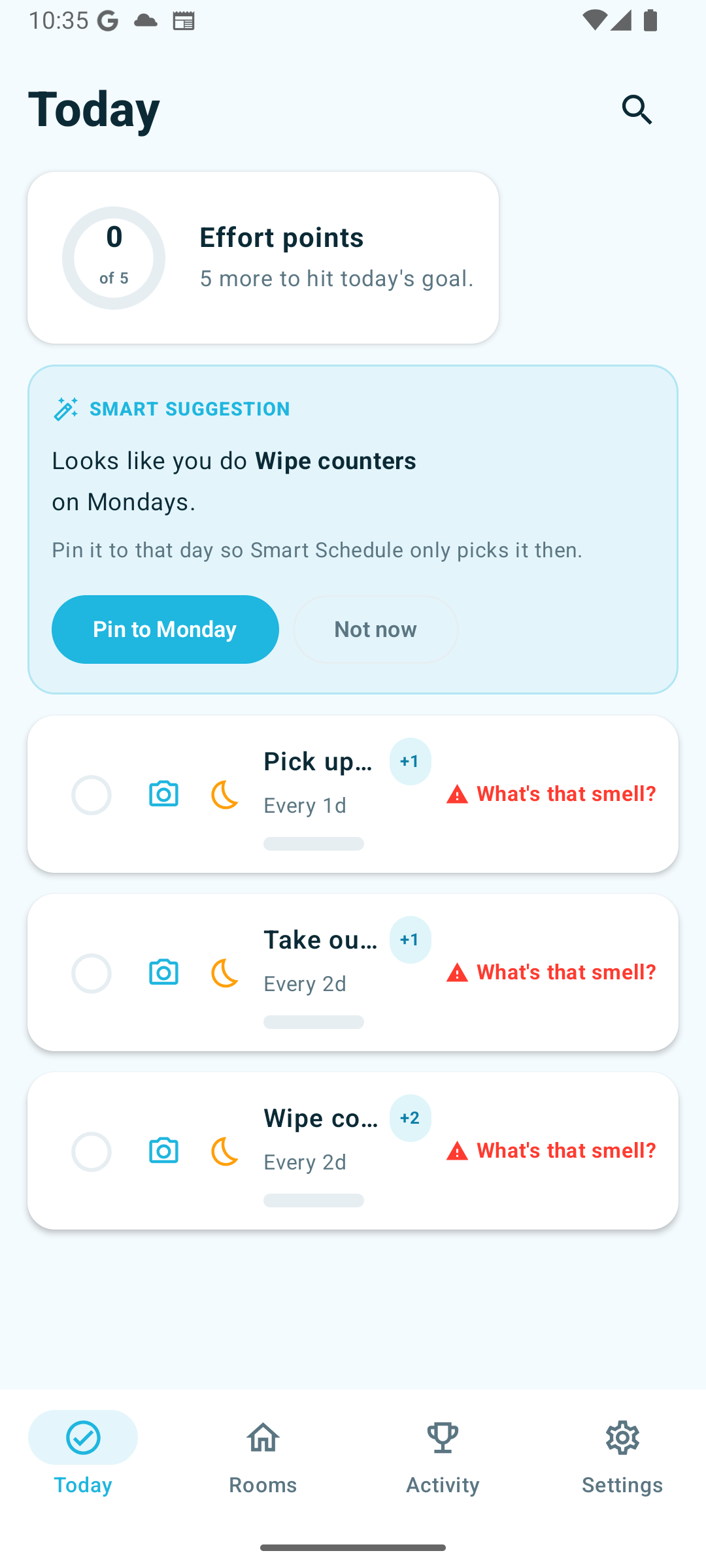
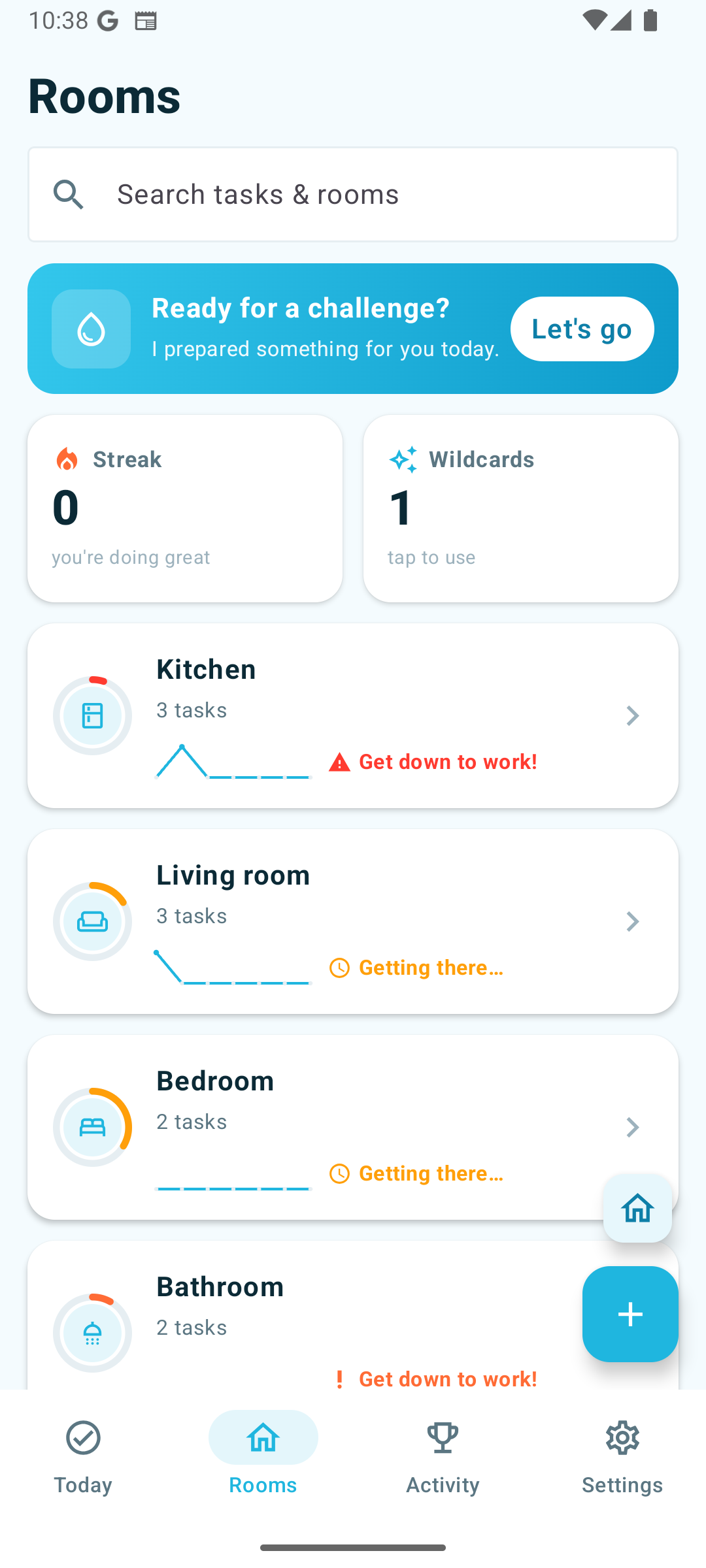
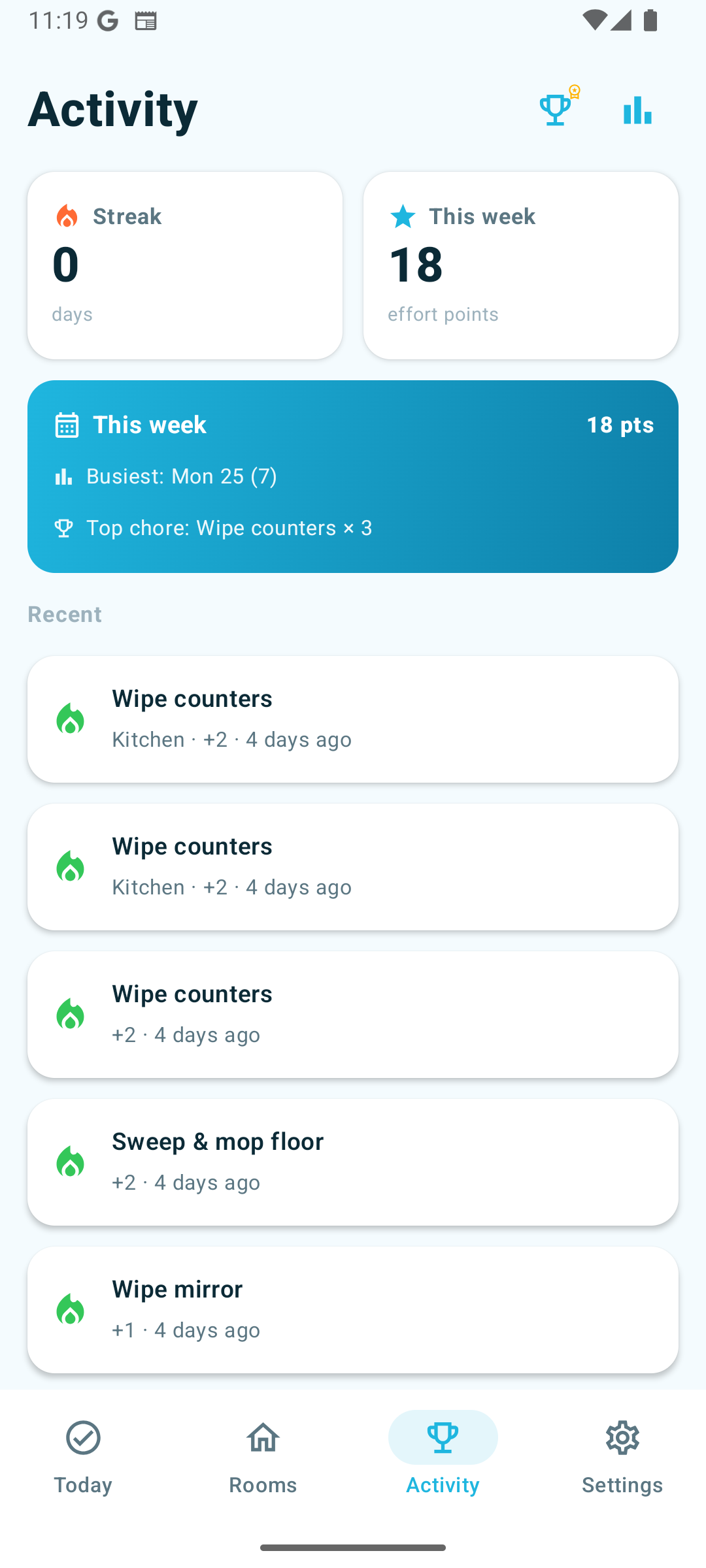
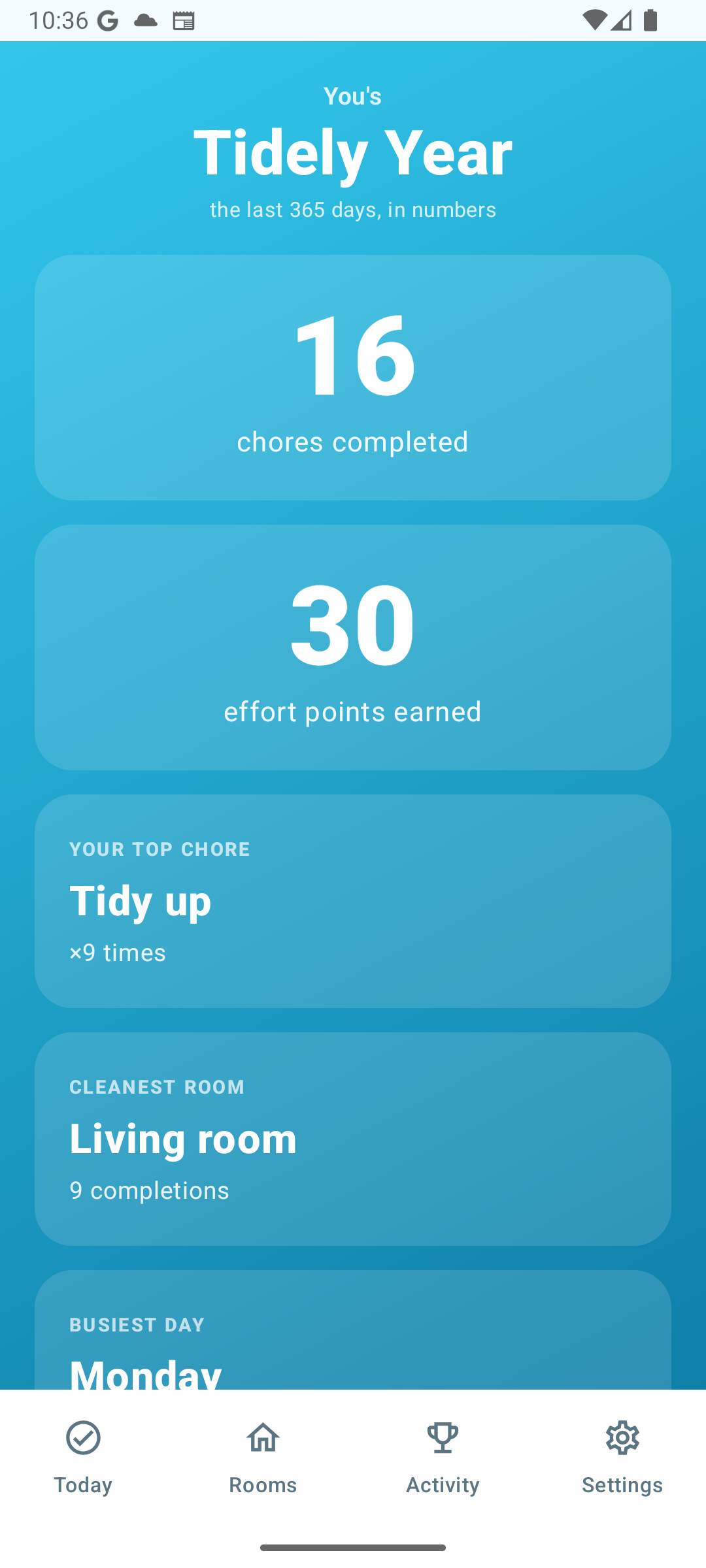
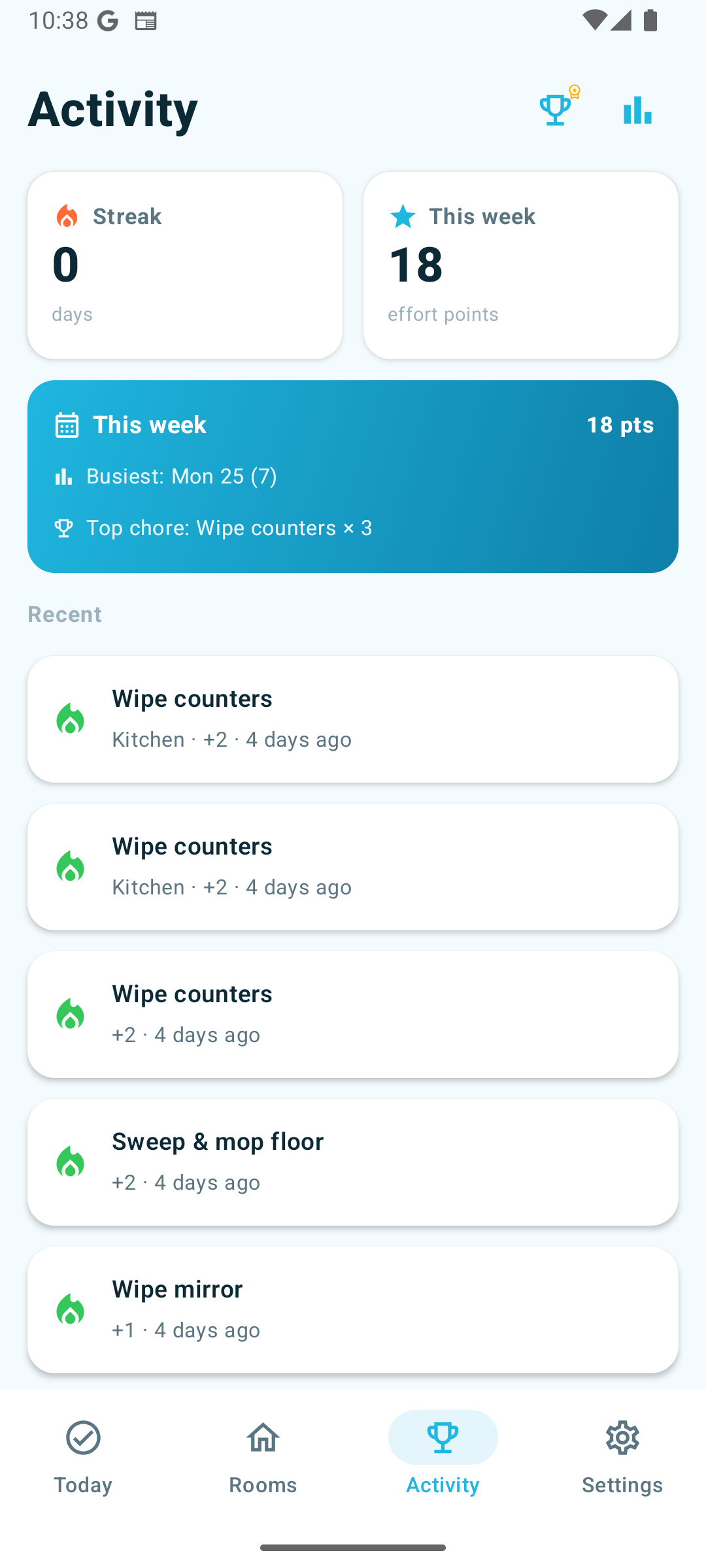
Android Today screen with smart suggestion card Android Rooms tab Android Activity tab with this-week summary Choralo Wrapped year recap
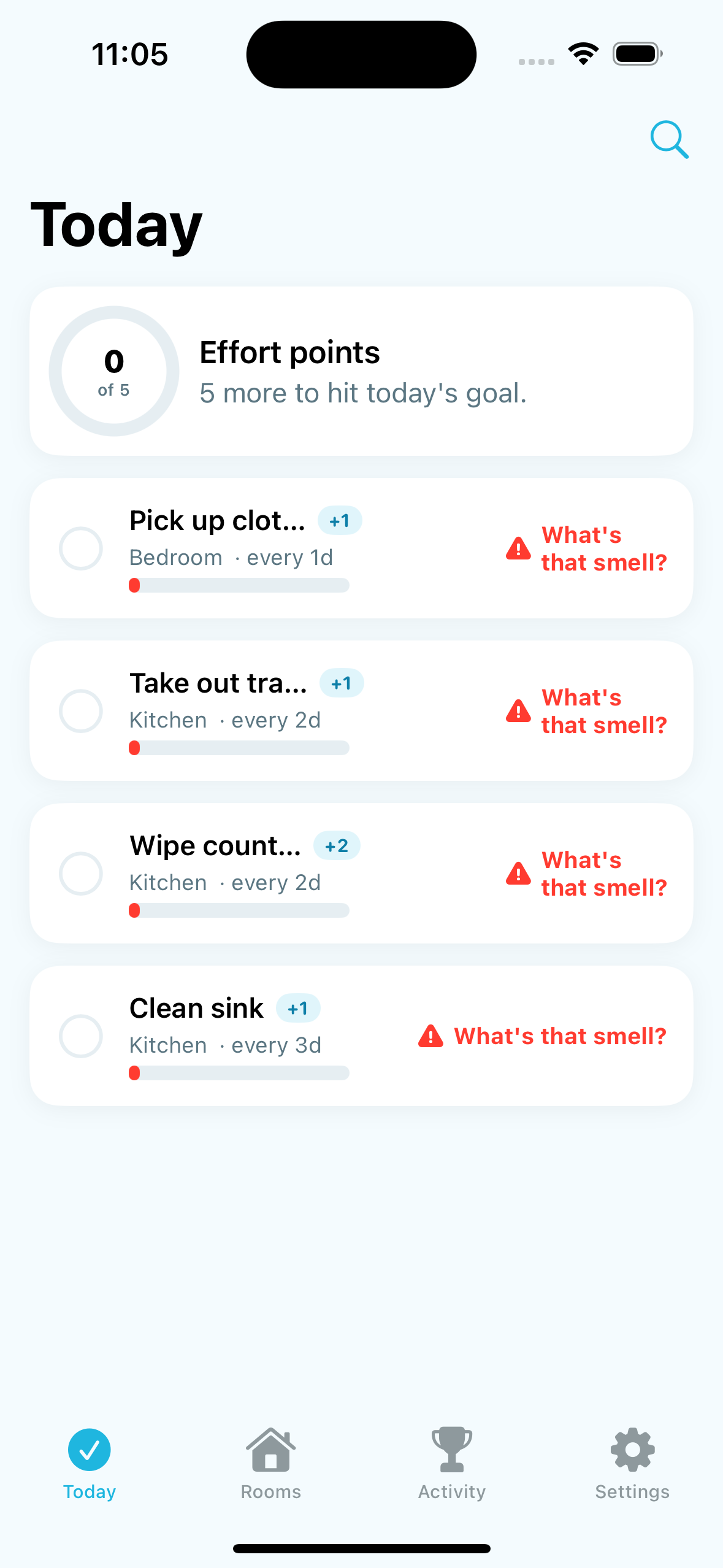
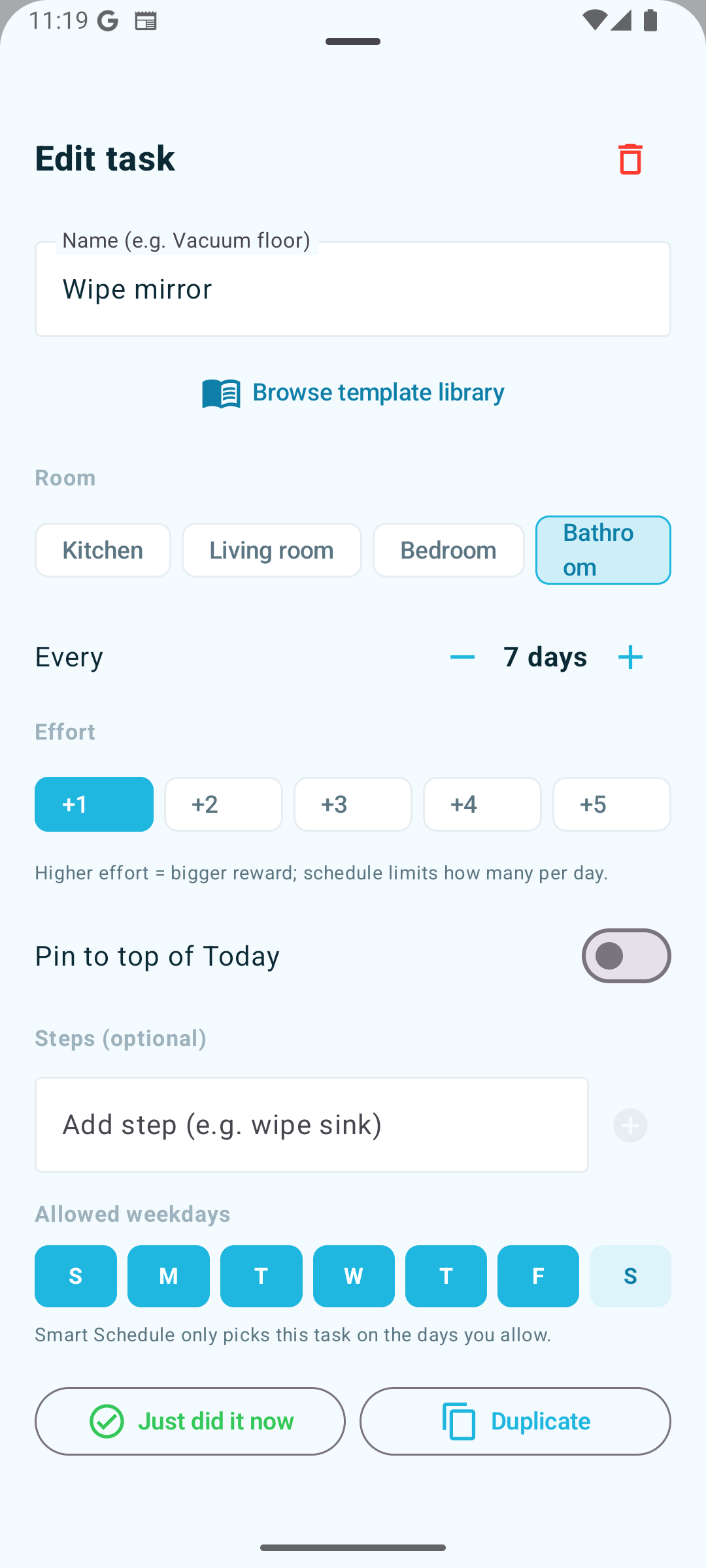
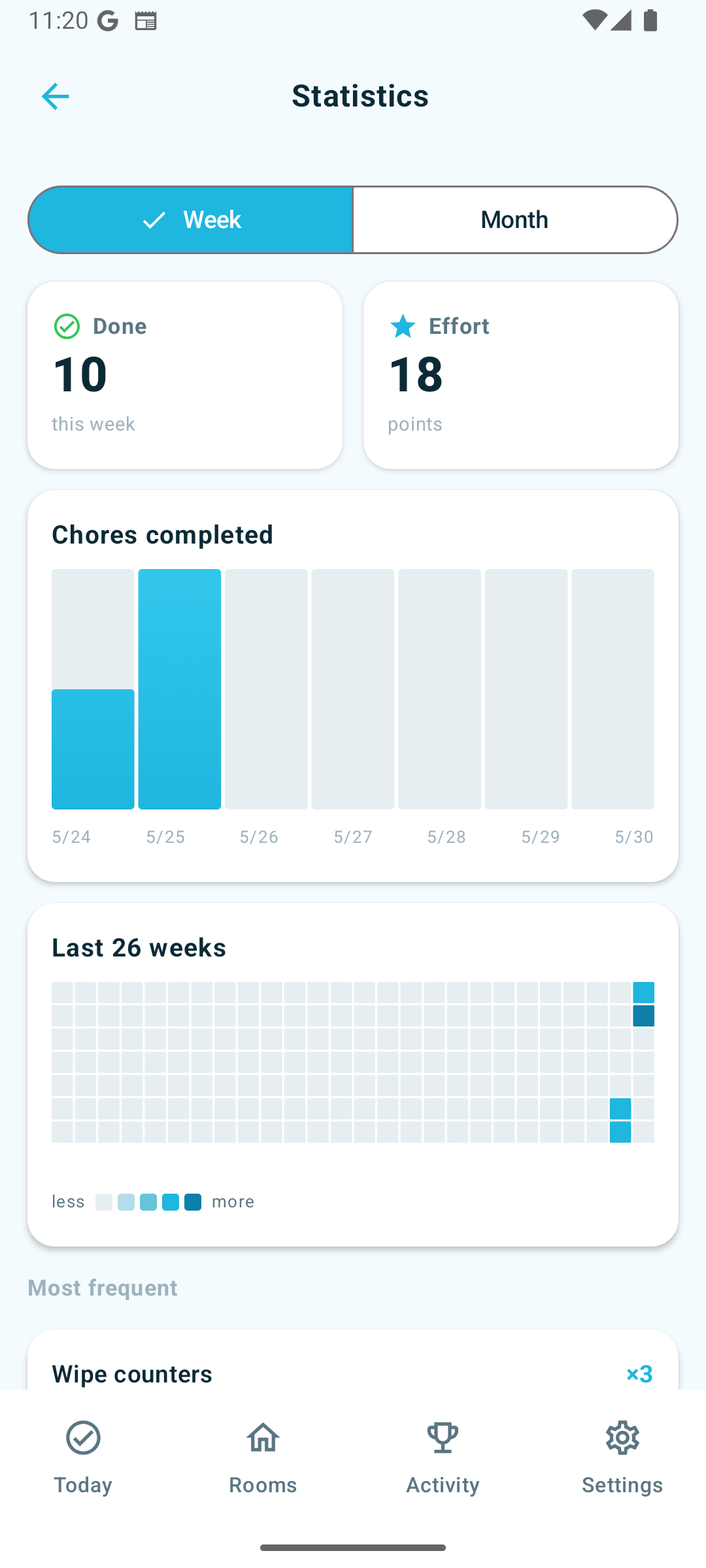
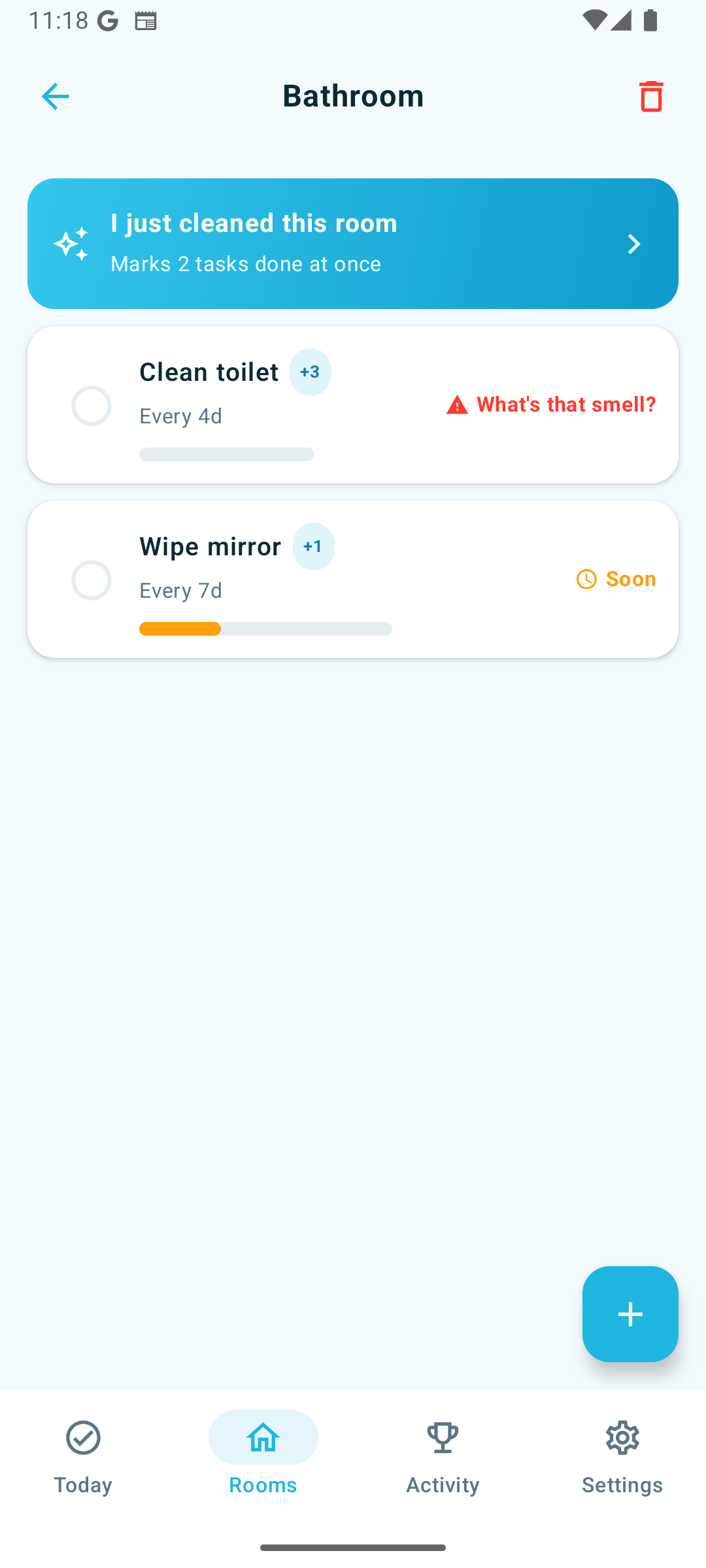
iOS Today screen with prioritized chores Edit task sheet — interval, effort, weekdays Statistics — week bar chart and 26-week heatmap Room detail with 'I just cleaned this room' button
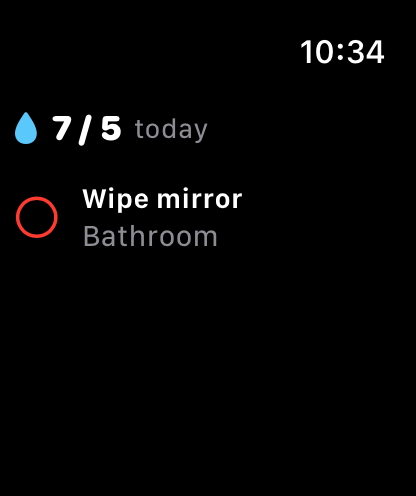
Apple Watch with today's chores
auto_awesome

Smart Schedule

Picks the right chores for today based on what's overdue, your goal, and how much you've already done.

groups

Household teamwork

Invite by QR. Assign chores. Celebrate the week's champion. Built for families that actually live together.

watch

One-tap, anywhere

Mark a chore done from your Apple Watch, Siri, the home-screen widget, or a notification action. Hands stay clean.

Built-in pattern detection

It learns when you actually clean.

After a few weeks Choralo notices that you always vacuum on Saturdays and pin it for you. No setup screens. No 30-question onboarding. Just a quiet "Pin to Saturday?" card when there's a real pattern.

Today screen showing smart suggestion to pin a weekly task
Choralo Wrapped year-end recap with totals and personal records
Year in review

Your year, by the chore.

Every December, Choralo shows you the chores you completed, the day you went hardest, your top room, and your longest streak. Share the card. Brag a little. You earned it.

For households of 2+

Share the load. Cheer each other on.

Scan a QR, you're in. Choralo shows who did what, this week's effort leader, and lets you give kudos (🏆 Real MVP, 💪 Tough job) on each completion. Sunday night, the whole house gets a notification telling them who won the week.

Activity tab showing this week's leader and recent completions
Apple Watch showing today's effort and a pending task
Apple Watch + Siri Shortcuts

"Hey Siri, I just cleaned the kitchen."

When your hands are wet or full, you don't pull out your phone. Choralo ships day-one with native Apple Watch + Siri so a single voice command or tap on your wrist marks the right chore done.

How Choralo works

From the box to a cleaner home in five steps.

No 15-minute setup. No spreadsheets. The app does the thinking, you do the cleaning.

  1. 01
    home

    Set up your home in 30 seconds.

    Pick your home type — studio, apartment, house, or build from scratch — then tell Choralo how many bedrooms and bathrooms. It seeds the right rooms and a starter list of recurring chores so day one isn't a blank page.

    • 4 home types, each with a sensible starter set
    • Bedrooms 1–5, bathrooms 1–4, "Bedroom 2 / Bathroom 2…" auto-named
    • "Start from scratch" if you want full control
  2. 02
    checklist

    Customize your chores.

    Open any task to set the interval (every 3 days? weekly?), the effort weight, and a checklist of sub-steps if it's a multi-part chore. Or browse the template library for chores you'd forget otherwise.

    • Subtasks: "Vacuum the living room, bedroom, and hallway" — check each off, the task auto-completes when all are done
    • Allowed weekdays: only schedule "Wash sheets" for Sundays
    • Effort 1–5: heavy chores count for more
  3. 03
    auto_awesome

    Open the app, see today's list.

    Smart Schedule picks the right chores for today based on what's overdue, your effort goal, and how much you've already done. Never more than you can handle, never less than what needs attention.

    • Adaptive intervals: if you actually clean weekly, the suggestion stops nagging every 3 days
    • Swipe to snooze a task to tomorrow
    • "Smart suggestion" cards: "You always do this on Saturdays — pin it?"
  4. 04
    touch_app

    Mark it done — your way.

    Tap once in the app. Swipe a row. Use the home-screen widget. Or, when your hands are wet, say "Hey Siri, done with chore in Choralo" and your most-due task gets ticked without you ever picking up the phone.

    • Apple Watch — tap a task on your wrist, syncs back instantly
    • Daily reminder push has a "Done with one" action — no app open needed
    • Attach a photo as proof — see the before/after later
    • "I just cleaned this room" button completes every task in a room at once
  5. 05
    family_restroom

    Share it with your household. Premium

    One QR code invites everyone — partner, kids, roommates. Assign chores, react to each other's completions, give kudos (🏆 Real MVP, 💪 Tough job). Every Sunday night Choralo names the week's champion and tells the whole house.

    • QR invite: no signup forms, no password resets
    • Photo approval flow for kids' chores (auto-approve with proof, optional)
    • Kudos cards: pre-set praise so you actually send it
    • Weekly champion notification — auto-fanned out every Sunday
celebration

And at the end of the year, your Choralo Wrapped.

Total chores, top room, longest streak, busiest day — your year in one share-able card. Computed locally. No cloud needed.

Designed end-to-end.

Native iOS, native Android, native Watch. Built thoughtfully on each.

iOS Today list Rooms overview with status rings Choralo Wrapped recap Activity feed

Free for solo. One-time unlock for households.

No subscriptions. Pay once, yours forever.

Free

$0

Everything you need to clean solo.

  • Unlimited rooms & chores
  • Smart schedule, streaks, freeze tokens
  • Daily reminders, widgets, Apple Watch
  • Siri Shortcuts
  • Choralo Wrapped year recap

Premium workspace_premium

$4.99once

No subscription. No renewals. Yours forever.

  • Everything in Free, plus:
  • Household sharing with QR invite
  • Kudos, comments, reactions
  • Live Activity cleaning timer
  • Smart auto-scheduling & adaptive intervals
  • Photo proof + Before/After compare
  • Weekly champion notifications